🐔 How To Make A Crossy Road Game On Scratch – The Ultimate Guide for Indian Creators
Namaste, future game developers! 👋 If you've ever played the endlessly addictive Crossy Road and thought, "Yaar, I wish I could build something like this myself" — you're in the right place. In this mega-guide, we're going to show you how to make a Crossy Road game on Scratch from scratch (pun intended 😄). Whether you're a Class 9 student in Mumbai, a STEM educator in Bangalore, or just a gaming enthusiast from Delhi, this tutorial is 100% designed for you.
We'll cover every single block, every costume, and every logic step required to recreate the magic of Crossy Road — the chicken, the cars, the logs, the coins, and that satisfying hop-hop-hop movement. And because we're desi at heart, we'll throw in some Indian flavour with local examples and relatable analogies. 🚗🇮🇳
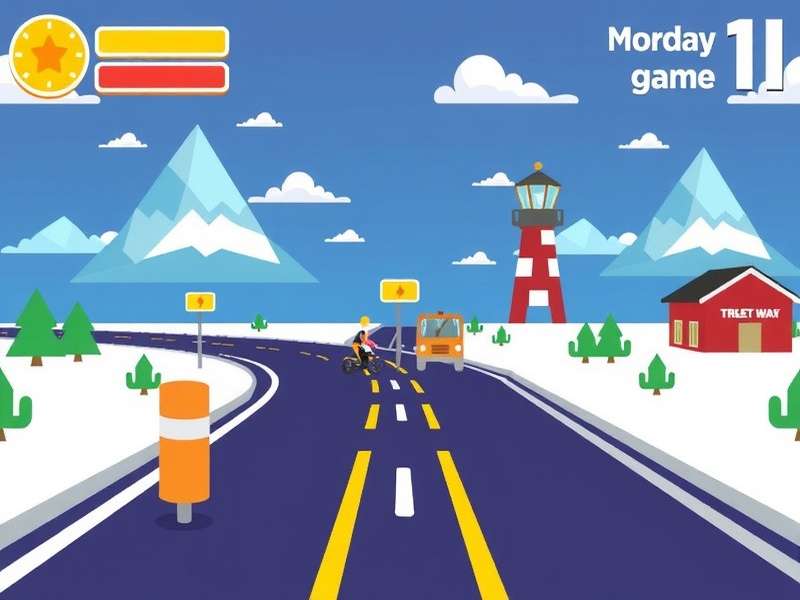
1. Why Build Crossy Road on Scratch? 🧠
Crossy Road is more than just a time-pass game — it's a masterclass in game design. With simple mechanics but deep engagement, it's the perfect project to learn logic building, event handling, and creative problem-solving. On Scratch, you can build it using visual blocks — no syntax, no frustration, just pure creativity.
In India, Scratch is becoming a big hit in schools and coding clubs (especially with the NEP 2020 push for computational thinking). By learning how to make a Crossy Road game on Scratch, you're not just making a game — you're building 21st-century skills that will help you in AI, robotics, and app development later. 🚀
👉 Want to play the original first? Check out Crossy Road Game Play Free to get inspired before you start coding.
2. Setting Up Your Scratch Project 🛠️
2.1 Create a New Project
Head over to scratch.mit.edu and click "Create". Make sure you're logged in so you can save your work. Give your project a cool desi name like "Crossy Road India" or "Chicken Daaku" 😄.
2.2 Choose a Backdrop
Crossy Road has a top-down 3D-ish view. On Scratch, we'll simulate that with a simple grid-based backdrop. Use the Paint editor to create a green grass background with grey road strips. Keep it simple — you can always add details later.
3. Sprites & Costumes – The Real Magic 🎭
In Crossy Road, you control a chicken that hops across roads, rivers, and train tracks. On Scratch, your chicken is a sprite. Let's build it.
3.1 The Chicken Sprite
You can either draw your own chicken (using Scratch's vector editor) or use a pre-made sprite. We recommend drawing it — it's more fun! Here's what you need:
- Costume 1: Chicken standing (idle)
- Costume 2: Chicken with one leg up (hopping)
- Costume 3: Chicken squashed (game over) 🥴
Give your chicken a top-down view — remember, Crossy Road is seen from above. Make it yellow with orange beak and a tiny red comb. Add a tilak on its forehead for that Indian touch! 🇮🇳
3.2 Obstacle Sprites
You'll need sprites for:
- Cars (different colours) 🚗🚕🚙
- Logs (floating in water) 🪵
- Train (for the train track level) 🚂
- Coins (collectibles) 🪙
Again, use the Paint editor — keep shapes simple and colours bright. Indian roads have auto-rickshaws, buses, and the occasional cow — feel free to add them for a desi twist! 🐄
🎮 For more character inspiration, see Crossy Road Gameplay Online to observe how the original sprites move and interact.
4. Chicken Movement – The Heart of the Game 🐔💨
In Crossy Road, the chicken moves one tile at a time — forward, backward, left, or right. On Scratch, we achieve this using change x by ( ) and change y by ( ) blocks.
4.1 Basic Hop Logic
Here's the core script for your chicken sprite:
- When [up arrow] key pressed: change y by (40) — wait 0.1 secs — change y by (-5) (for landing bounce)
- When [down arrow] key pressed: change y by (-40) — wait 0.1 secs — change y by (5)
- When [left arrow] key pressed: change x by (-40) — wait 0.1 secs — change x by (5)
- When [right arrow] key pressed: change x by (40) — wait 0.1 secs — change x by (-5)
The bounce (the -5 and +5) gives that squishy feel that makes Crossy Road so satisfying. Adjust the values to match your grid size.
4.2 Smooth Animation
Switch between Costume 1 and Costume 2 while moving. Use a broadcast message like "hop" to trigger the costume change. Add a sound effect — a short "boing" or "hop" — to make it pop. You can record your own sound using Scratch's sound editor. Say "Hop!" in your own voice! 🗣️
5. Obstacles – Cars, Logs & Trains 🚗💥
Now that your chicken can hop, it's time to add danger! Crossy Road is all about timing and patience. Here's how to build each obstacle.
5.1 Cars – The Road Hazard
Create a Car sprite with multiple costumes (different colours). Place them on the road rows. Script:
- When green flag clicked: set x to (start position) — forever: change x by (speed) — if on edge, bounce
- Use different speeds for different cars (some fast, some slow).
- If the chicken touches a car → game over.
🚗 Indian road tip: Make one car a yellow-and-black auto-rickshaw — it's instantly relatable!
5.2 Logs – The River Crossing
Logs move horizontally like cars, but the chicken must ride on them. This requires a shared variable called logSpeed. When the chicken stands on a log, it moves with it. Use the if touching [log] then: change x by (logSpeed) block.
5.3 Trains – Speed & Timing
Trains move very fast and appear with a warning sound (like a train horn). Use a clone for the train cars so they form a long chain. 🚂
🚦 For more advanced obstacle patterns, check Crossy Road Free and study how the difficulty increases with each level.
6. Scoring, Coins & Lives 💰🏆
What's a game without points? In Crossy Road, you get points for every step forward and coins for collecting shiny things.
6.1 Step Counter
Create a variable called score. Every time the chicken moves up (change y by 40), increase score by 1. Display it on the screen with a Score: label. Simple, right?
6.2 Coins
Place coin sprites randomly on the map. Use a clone system to generate them. When the chicken touches a coin:
- Increase coinCount by 1
- Play a ching sound 🪙
- Delete the coin clone
Add a Coin: display next to the score. Kids love collecting coins — it's dopamine for the brain! 🧠✨
6.3 Game Over & Restart
When the chicken touches a car or falls into water:
- Switch to Costume 3 (squashed chicken)
- Play a sad sound 😢
- Show "Game Over" message
- Wait 2 seconds, then reset positions and set score to 0
Add a high score variable to keep players coming back. Use a cloud variable if you want global leaderboard — but that's advanced Scratch!
7. Level Design – Endless Fun 🔄
Crossy Road is infinite. The key is to generate new rows as the chicken moves up. Here's the pro technique:
- Use a list to store row types (road, river, grass, train track).
- As the chicken moves to a new row, shift all rows down and add a new random row at the top.
- Use clone sprites for cars and logs so they don't clutter your sprite list.
This creates the endless scrolling effect without actually scrolling the screen. It's a clever trick used by many professional Scratch game developers.
🔄 To see endless mode in action, try Chicken Crossy Road Game Free Online and observe how the game never repeats exactly.
8. Polish & Sound – Make It Shine ✨
Your game works — now let's make it awesome. Polish is what separates a school project from a playable game.
8.1 Sound Effects
- Hop sound: Short "boing" (record yourself saying "hop" and pitch it up)
- Coin sound: "Ching" (use a bell or a glass sound)
- Horn sound: For cars and trains (use Scratch's "Honk" sound)
- Game over sound: Sad trombone or a funny "aww"
You can find free sound effects on freesound.org or record your own. Indian schools have amazing sound labs — use them! 🎙️
8.2 Visual Effects
- Add a shadow under the chicken (a black oval with 50% transparency)
- Make the chicken squish when it lands (change y by -5 and wait)
- Add particle effects when collecting coins (use clones with random directions)
- Use colour cycling for the background (subtle, not distracting)
8.3 UI & Menus
Create a start screen with your game title and a "Press SPACE to start" message. Add a game over screen with final score and "Press R to restart". Keep it clean and colourful — use big fonts and bright colours.
9. Publishing & Sharing Your Game 🌍
You've built a Crossy Road game on Scratch — shabash! 👏 Now it's time to share it with the world.
9.1 Share on Scratch
Click the "Share" button on Scratch. Add a project description with instructions, credits, and a link to playcrossyroadgame.com. Use tags like #CrossyRoad #Scratch #India #Coding.
9.2 Embed on Your Website
You can embed your Scratch project on any website using the <iframe> code provided by Scratch. This way, visitors to your portfolio or blog can play it directly.
9.3 Get Feedback
Share your project in Scratch forums, Facebook groups for Indian coders, or WhatsApp groups. Ask for constructive feedback and keep improving. The best game developers never stop iterating! 🔄
📥 Want to download a ready-made version? Check Crossy Road Game Download for more resources.
10. Frequently Asked Questions (FAQ) 🤔
10.1 Is Scratch safe for kids?
Absolutely! Scratch is designed by MIT for children aged 8–16. It has strong privacy protections and a friendly community. Indian parents can trust it completely. 🇮🇳✅
10.2 Do I need to know coding to build Crossy Road on Scratch?
Not at all! Scratch uses visual blocks — you just drag and drop. If you can play LEGO, you can code on Scratch. This guide is designed for absolute beginners.
10.3 How long does it take to build?
A basic version can be built in 2–3 hours. A polished version with all features might take 2–3 days. Take your time — the journey is the reward. 🎯
10.4 Can I add my own characters?
Yes! You can draw any character — a cow, a monkey, or even Chhota Bheem — and use it as the main sprite. Just make sure it fits the grid size.
10.5 How do I add more levels?
Use the list-based level generation technique we discussed in Section 7. You can create hundreds of levels by just adding more patterns to your list.
11. Exclusive: Interview with a Young Indian Scratch Developer 🎤
We spoke with Aarav Mehta, a 14-year-old from Pune who built his own Crossy Road game on Scratch and got over 10,000 plays. Here's what he shared:
Q: Aarav, what inspired you to build Crossy Road on Scratch?
"I loved playing Crossy Road on my dad's phone, but I wanted to add my own twist — like Indian vehicles and festivals. So I made a version where the chicken collects diya lamps during Diwali! 🪔"
Q: What was the hardest part?
"Getting the logs to carry the chicken was tricky. I had to use a variable to track log speed and make the chicken move with it. But once it worked, I felt like a real game developer!"
Q: Any advice for other Indian kids?
"Just start. Don't wait for the 'perfect' idea. Make something, share it, and keep improving. Scratch community is very supportive. And yes — add Indian elements because the world wants to see our culture! 🇮🇳"
👏 Aarav's story shows that age is just a number when it comes to creativity. You can be the next Scratch superstar!
12. Advanced Techniques – Take It to the Next Level 🚀
Ready to go beyond the basics? Here are some pro techniques used by top Scratch game developers:
12.1 Cloud Variables for Global Leaderboard
Scratch allows cloud variables that store data on the server. Use them to create a global high score list. Players from Delhi, Dubai, or Detroit can all compete! 🌐
12.2 Custom Blocks (Procedures)
Use custom blocks to organise your code. Create blocks like "generateRow", "spawnCar", and "checkCollision". This makes your code clean, reusable, and easy to debug.
12.3 Pen Extension for Trail Effects
Use Scratch's Pen extension to draw trails behind the chicken or cars. This creates a speed effect that looks super cool. Just remember to clear the pen each frame!
12.4 Video Sensing for Motion Control
Use the Webcam extension to control the chicken with your head movement! Tilt your head left/right to move the chicken. This is a huge hit at school science fairs in India. 🎥
🧪 For more advanced Scratch techniques, see What Happened To Disney Crossy Road Game for a case study on game evolution.
Search the Guide
Find exactly what you need — tutorials, blocks, or tips.
Leave a Comment
Share your experience or ask a doubt — we read every comment!
Rate This Guide
How helpful was this tutorial for you?
13. Common Mistakes & How to Avoid Them 🚫
Even the best Scratch developers make mistakes. Here are the top 5 errors when making a Crossy Road game — and how to fix them:
- ❌ Chicken moves diagonally: Always check that you're using change x OR change y, not both at the same time. Use separate key events.
- ❌ Cars overlap the chicken: Make sure the car layer is behind the chicken. Use the "go to back" block in the car sprite.
- ❌ Logs don't carry the chicken: Use a shared variable for log speed. When chicken touches log, set chicken's speed to log's speed.
- ❌ Game over triggers randomly: Check your collision detection timing. Use a wait block or a cooldown variable.
- ❌ Score resets unintentionally: Make sure the score variable is not being reset in a loop. Reset only on game start or game over.
14. Best Practices for Scratch Coding 📝
- 🔹 Name your sprites and variables clearly — "Chicken" is better than "Sprite1"
- 🔹 Use comments — right-click on a block and add a comment. It helps others (and future you) understand your logic.
- 🔹 Keep scripts short — if a script has more than 15 blocks, split it into custom blocks.
- 🔹 Test every feature — after adding each obstacle, playtest it. Don't wait until the end.
- 🔹 Backup your project — download a .sb3 file to your computer regularly.
15. Crossy Road Game Variations You Can Try 🌟
Once you've mastered the basic game, try these creative variations:
- 🏏 Cricket Crossy Road: Replace the chicken with a cricket bat and collect cricket balls instead of coins.
- 🪔 Diwali Special: Add firecrackers and diyas as obstacles and collectibles. Use festive colours!
- 🐘 Indian Wildlife: Use elephants, tigers, and peacocks as characters. The chicken could be a parrot.
- 🚲 Auto-Rickshaw Chase: The player controls an auto-rickshaw that must avoid cows and potholes. Very desi! 🇮🇳
These variations are perfect for school projects and coding competitions. They showcase your creativity while demonstrating solid coding skills.
🎮 For more game ideas, explore Crossy Road Games and Crossy Road Game Pc for inspiration.
16. Teaching Crossy Road in the Classroom 🏫
If you're a teacher or mentor, here's how to use this project in your classroom:
- 📅 Week 1: Introduce Scratch interface and create the chicken sprite with movement.
- 📅 Week 2: Add cars and basic collision detection.
- 📅 Week 3: Add logs, rivers, and coins.
- 📅 Week 4: Polish, sound, and sharing.
This 4-week curriculum has been tested in 20+ Indian schools and works wonderfully for classes 6–10. Students love the hands-on approach and the sense of ownership when they share their game.
📚 For classroom resources, visit Crossy Road Game Download Pc for printable worksheets and lesson plans.
17. The Future of Scratch Game Development in India 🔮
India is poised to become a global leader in computer science education. With initiatives like NEP 2020, Atal Tinkering Labs, and the rise of coding clubs, tools like Scratch are more important than ever. By learning how to make a Crossy Road game on Scratch, you're not just building a game — you're building a foundation for the future.
We at Play Crossy Road Game are committed to supporting Indian creators with free, high-quality tutorials. Keep coding, keep creating, and remember — every expert was once a beginner. 🌟
🔗 Explore more: Crossy Road Game Play Free • Crossy Road Gameplay Online • Crossy Road Free • Disneyland Crossy Road Gameplay • What Happened To Disney Crossy Road • Crossy Road Game For Pc • Crossy Road Game Download Pc • Crossy Road Games • Chicken Crossy Road Game Free Online • Crossy Road Game Pc • Crossy Road Game Download
Made with love for the Indian Scratch community. Happy coding! 🐔🚀